Everything, in one list
Draftlist finds every Live set on your Mac and puts them in one list.
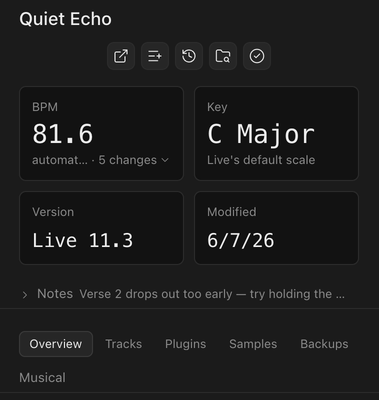
BPM, key, Live version, tracks and missing files, at a glance.
Mark the finished ones. Find any set from one search box.
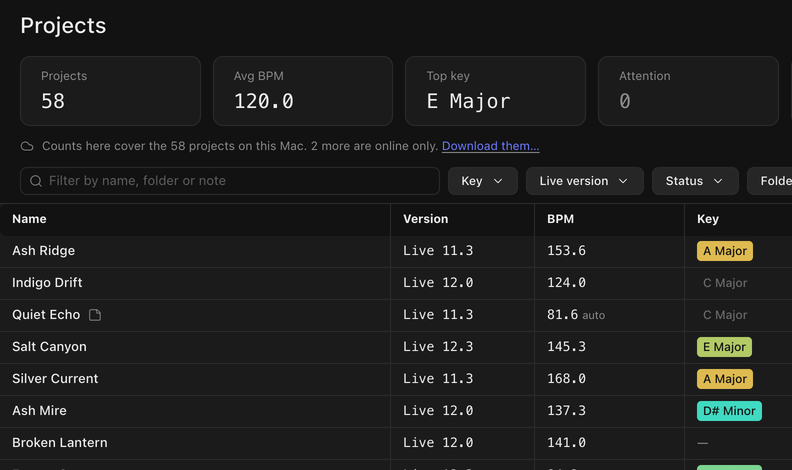
Every Ableton project, sample and plugin on your Mac, found and ranked by how much you use it.
Shown with the app's demo library. Every name is invented.
Draftlist finds every Live set on your Mac and puts them in one list.
BPM, key, Live version, tracks and missing files, at a glance.
Mark the finished ones. Find any set from one search box.
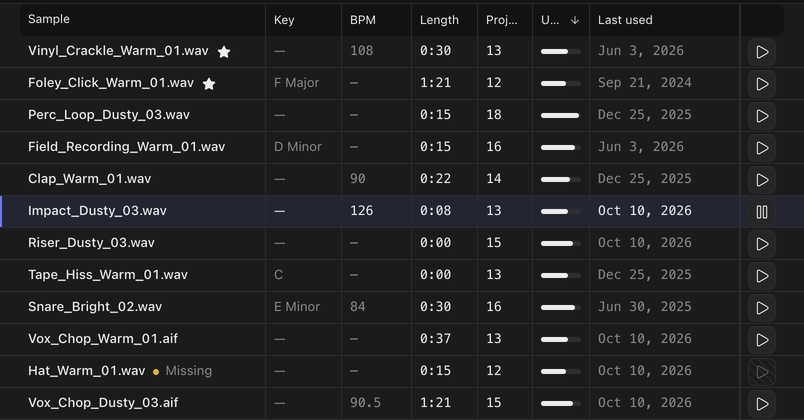
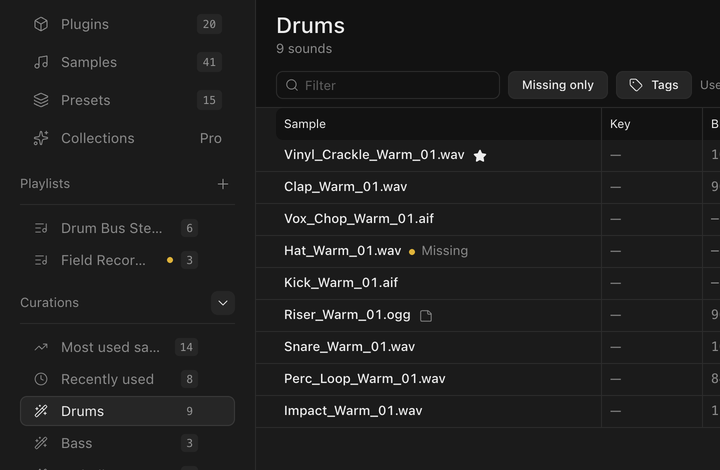
See which samples and plugins your projects really use, most used first.
Play any sample right from the list.
Every plugin shows the projects it's in.
One click opens the set in Ableton Live.
Its tracks, plugins, samples, backups and your notes are one tab away.
Your sounds, sorted into drums, bass, vocals and more.
Draftlist reads the file names. On Apple Silicon with macOS 14 or later, it listens too.
Nothing is uploaded.
Most used and Recently used come with every licence. Sound sorting is Pro.
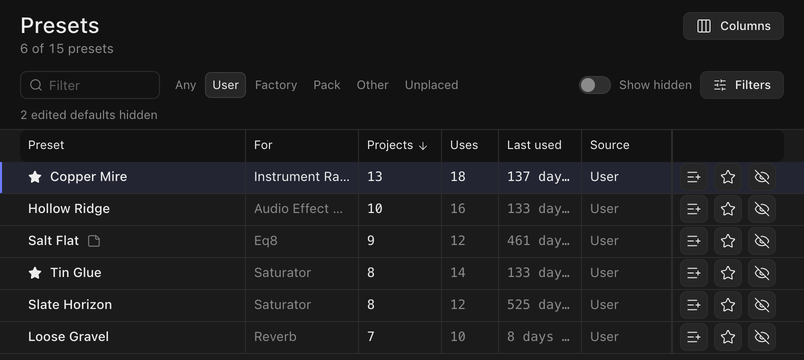
Your most used presets from Serum 1, Serum 2 and Live, ranked and tagged.
Draftlist copies them into one Draftlist folder in Serum 2, sorted by tag.
It never touches Serum's own folders.
No. You pay once and keep the version you bought. Every 1.x update is included. Pricing is announced at launch.
No. Draftlist needs a licence to open. If it isn't for you, ask for a refund within 14 days. No questions.
No. Draftlist only reads your projects. It never writes inside your project folders. It only writes when you ask it to: a playlist's copies, a chain you install.
No. Draftlist reads your projects and sounds on your Mac, and audio analysis runs on your Mac too. Nothing about your library is sent anywhere. The only things that go online are the licence check and the update check.
Yes, at least once every 24 hours. Your projects, plugins and samples keep working for up to 24 hours without a connection. After that, Draftlist asks you to connect so it can check your licence, and opens again the moment it can. Pro features (Presets, sound sorting, audio analysis and tag filters) need a connection each time Draftlist opens.
It needs a connection at least once every 24 hours. If that doesn't suit your setup, email support@draftlist.app before you buy, or within 14 days for a refund.
macOS 13.3 (Ventura) or later, on Apple Silicon and Intel Macs. One download works on both.
Draftlist reads your project files itself, so Live doesn't need to be open. To open a set from Draftlist, you need Live installed.