
Curations
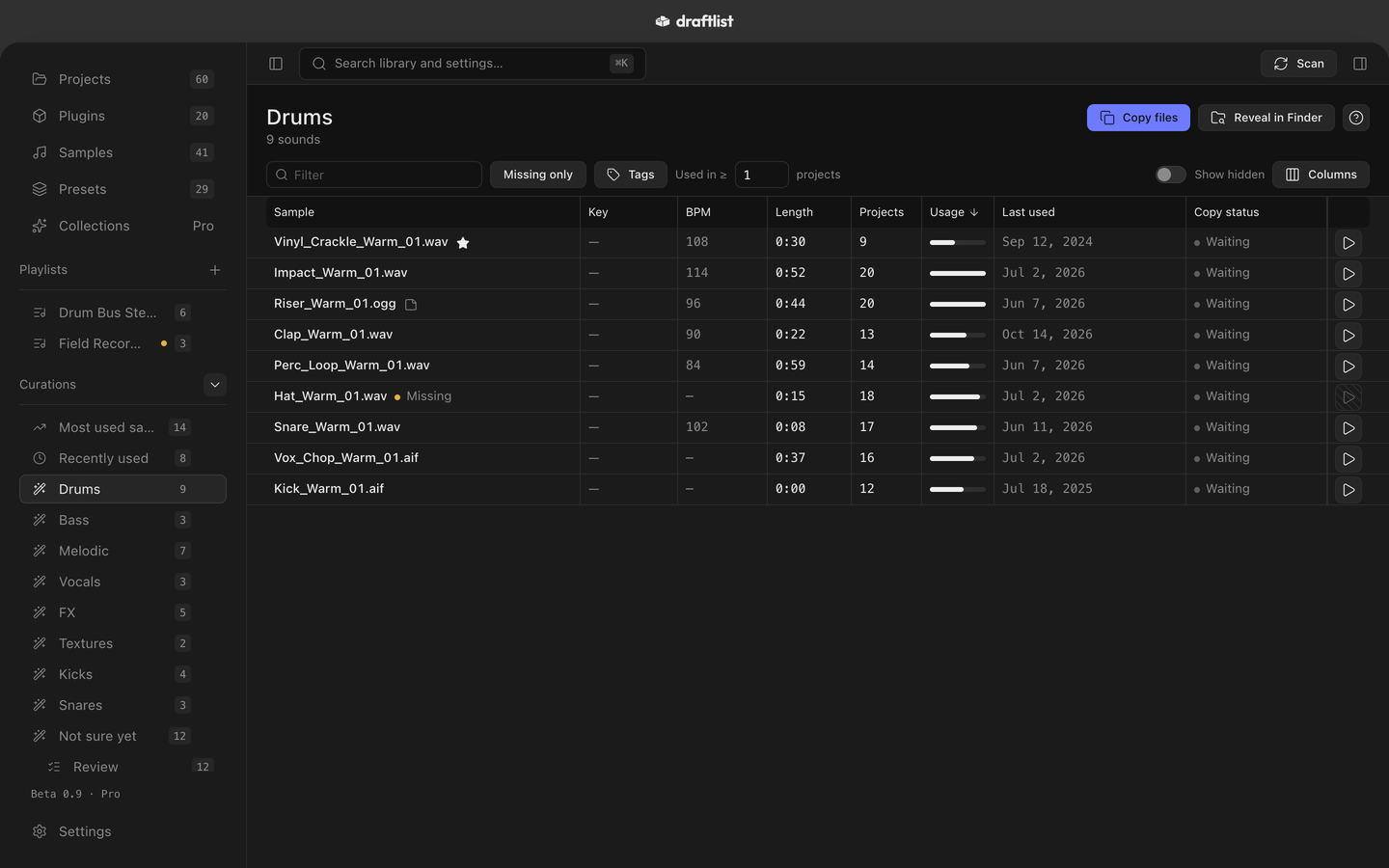
Your most used and recently used sounds, kept up to date, and with Pro, your samples sorted into drums, bass, vocals and more.
Curations are lists of samples that Draftlist keeps up to date for you, in the sidebar's Curations group. They refresh after every scan.
Most used and Recently used
Every licence has these two:
- Most used samples: your top 100 samples, by how many of your projects use them.
- Recently used: the top 200 samples used in the last 90 days.
Both are ranked the same way as Samples.
Sorted by sound Pro
With Pro, Draftlist sorts your samples into families: Drums, Bass, Melodic, Vocals, FX and Textures. A family with enough of one kind of sound also gets its own list, such as Kicks. Sounds Draftlist can't place go into Not sure yet.
- By name first. Draftlist reads the file name and Live's own tags. Your own filing always wins.
- By listening. On a Mac with Apple Silicon and macOS 14 or later, Draftlist also listens to each sound once, on your Mac. When a sound's name doesn't say what it is, Draftlist compares it with the sounds you have already named, and files it under Vocals or FX when it clearly sounds like them.
Nothing is uploaded. Start the analysis, or stop it, in Settings ▸ Library ▸ Sample analysis.
Note On an Intel Mac or macOS 13, Draftlist sorts by name only. Settings shows "Sorting off on this Mac."
Review and teach
You can correct any answer, and Draftlist learns from it.
- File this under… in a sample's inspector moves it to another family. Your file is never renamed or moved. Use Draftlist's answer undoes it.
- Not this one on a curation's row keeps that sound out of it. Excluded sounds… in the curation's ··· menu puts it back.
- Review Not sure yet shows the unplaced sounds one at a time, with Draftlist's best guess. Press Space to play, 1 to 6 to pick a family, Return to file it and → for the next one.
Each correction teaches the sound sorter.
Use a curation
The ··· menu on a curation has Refresh now, Copy files (copies its sounds into a folder, like a playlist), Rename… and Reveal in Finder.
Settings ▸ Library ▸ Include Ableton's own renders in Curations adds freezes, bounces, consolidated clips and recorded takes. It is off at first.
Last updated
Something wrong or missing on this page? Tell us.