
Search
One search box finds any project, sample, plugin, preset or playlist, runs commands and jumps to any setting.
Press ⌘K anywhere in Draftlist, or click the search field in the top bar. Start typing.
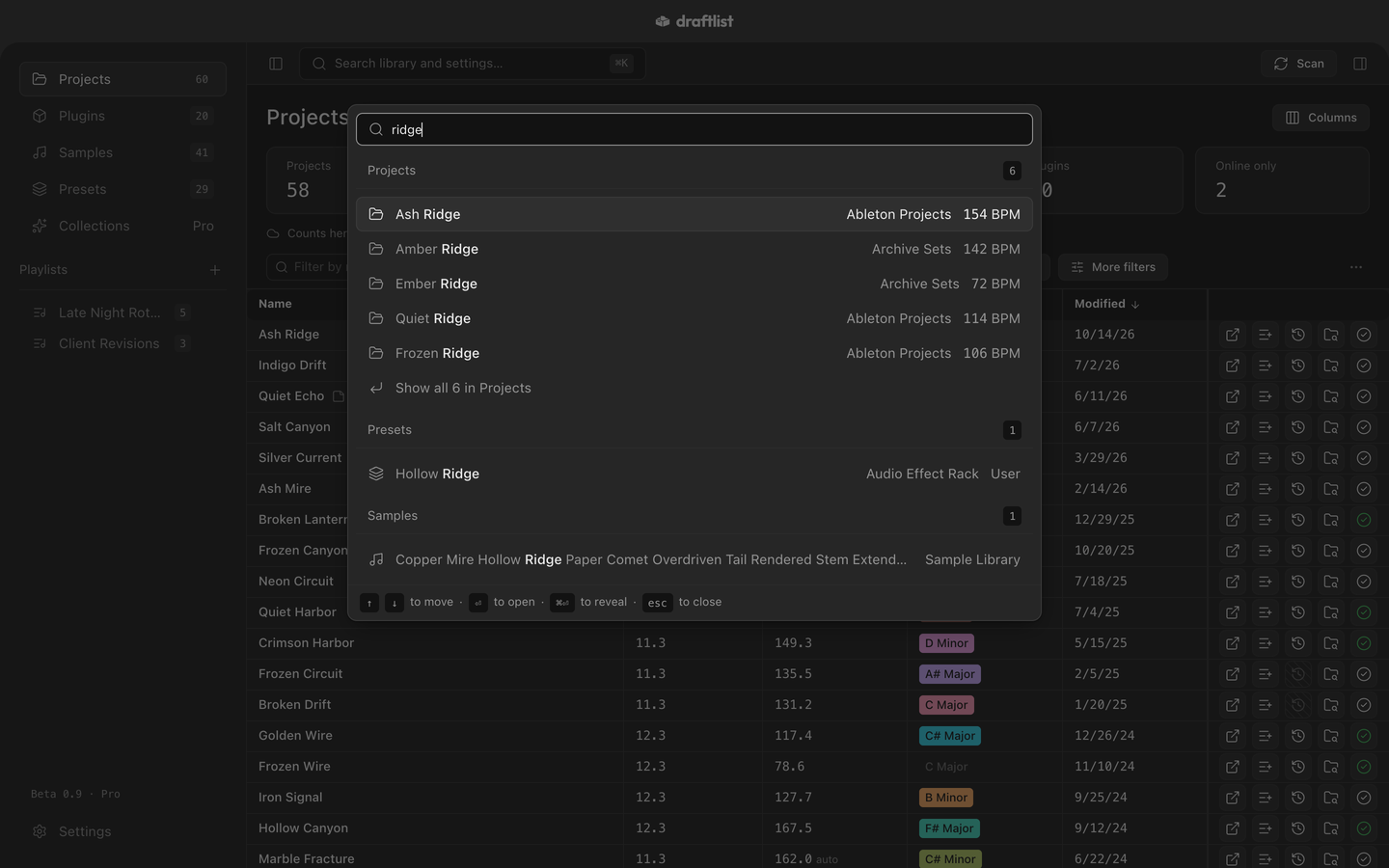
What it finds
Results come in groups, a few of each:
- Projects, Plugins, Samples, Presets Pro and Playlists, by name.
- Tags on your samples. Draftlist's own tags are part of Pro; your own tags are not.
- Commands, such as "Scan now" (below).
- Settings: type a setting's name to jump straight to it.
Each library group ends with Show all, which opens that tab with the search applied.
Move through the results with ↑ and ↓, then press Return to open one. ⌘Return reveals the result in Finder.
Recent searches
With the box empty, search shows your last few searches. Clear recent searches forgets them.
Commands
| Command | What it does |
|---|---|
| Scan now | Scans your project folders for changes |
| Rescan everything (full re-read) | Re-reads every project from scratch |
| Add folder… | Adds a folder to scan |
| Go to Projects, Plugins, Samples | Switches tab |
| Go to Settings | Opens Settings |
| Take the tour | Starts the tour |
| Report a bug | Opens Report a bug |
| Contact support | Starts an email to support |
| Toggle inspector | Shows or hides the details panel |
Type "Open" to find Open the selected project in Live.
Last updated
Something wrong or missing on this page? Tell us.